
Data model & field tweaks
Setup → Data model explains the project's content: every class, its fields and how classes link to each other.
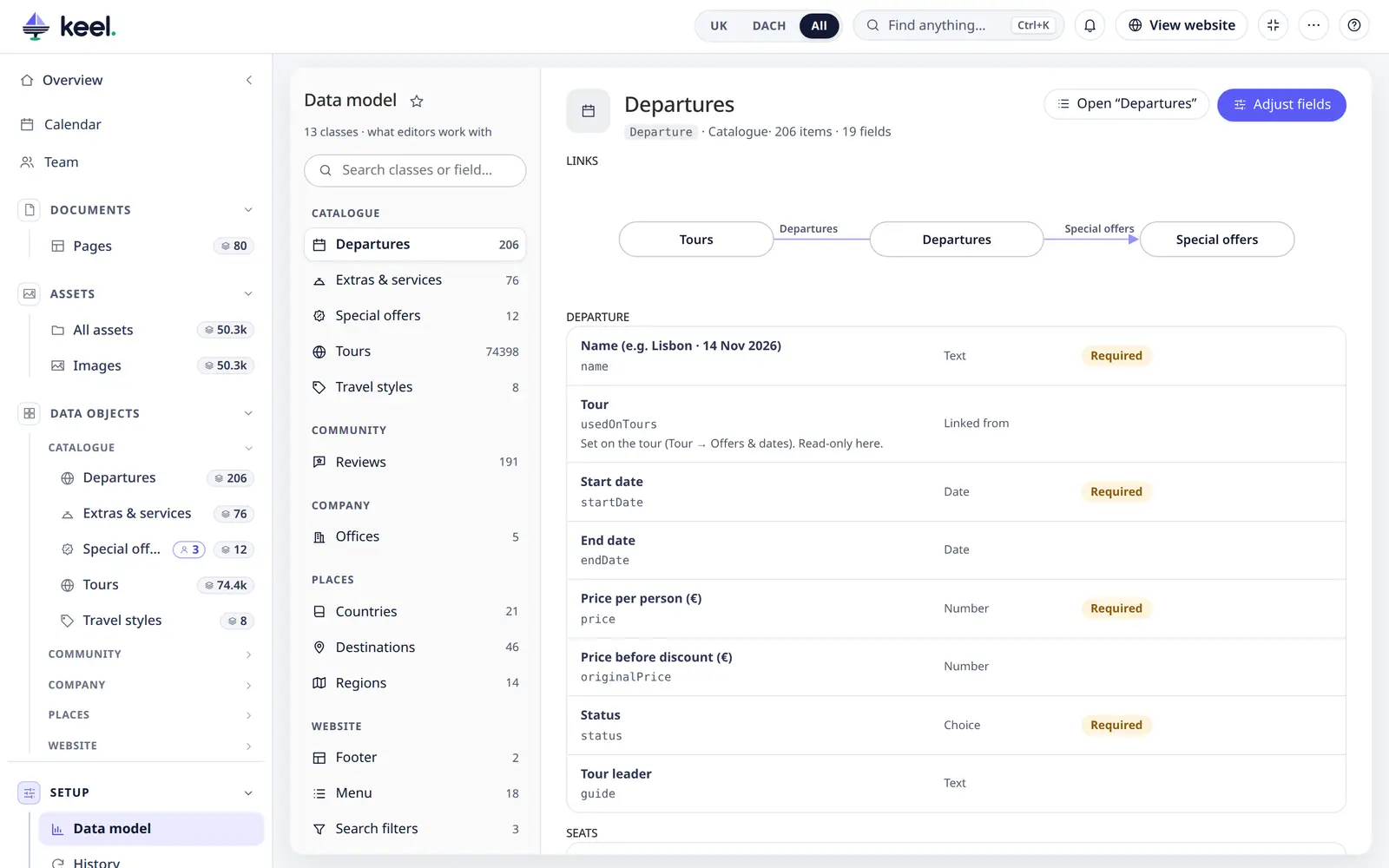
Read the model
- Search classes or fields on the left; classes are grouped like in Pimcore.
- A class shows how many items it has (and how many are not published), its fields per tab, and Open “…” to jump to its list.
- Links draws the classes that link to this one on the left and those it links to on the right. Click a class to open it.
- Field badges: Required, Per language, → Target (what a relation links to), Hidden in Keel, Shown as chips.
The page is read-only for everyone with access to data objects.
Adjust fields (admins)
Adjust fields changes how a class's fields appear in Keel's editors – only in Keel; the class itself does not change:
| Label | A clearer name than the one in the class |
| Help text | Shown under the field |
| Order | Move fields up and down within their tab |
| Shown | Hide fields editors do not need – required fields always show |
| Show as | Fields linking several items: Table (full info) – the default, the linked items with their list's columns – or Chips (names only) |
| No duplicates | Plain text and number fields (not fields per language): warn in the editor when another item already has the same value – an SKU, an EAN, a code. See “Already used” warning. Fields Pimcore itself keeps unique are marked Unique in Pimcore and are checked without the switch. |
Reset all to Pimcore's removes the adjustments for that class.
Why not edit the class itself?
Class definitions are code – they live in the project's repository and are deployed with it. Changing them in Keel would differ between environments. Field tweaks are safe: they only change Keel's forms.