
Content calendar
Calendar in the menu, right under Overview, shows a month with everything that is planned to be published or unpublished – pages and items of every list together.
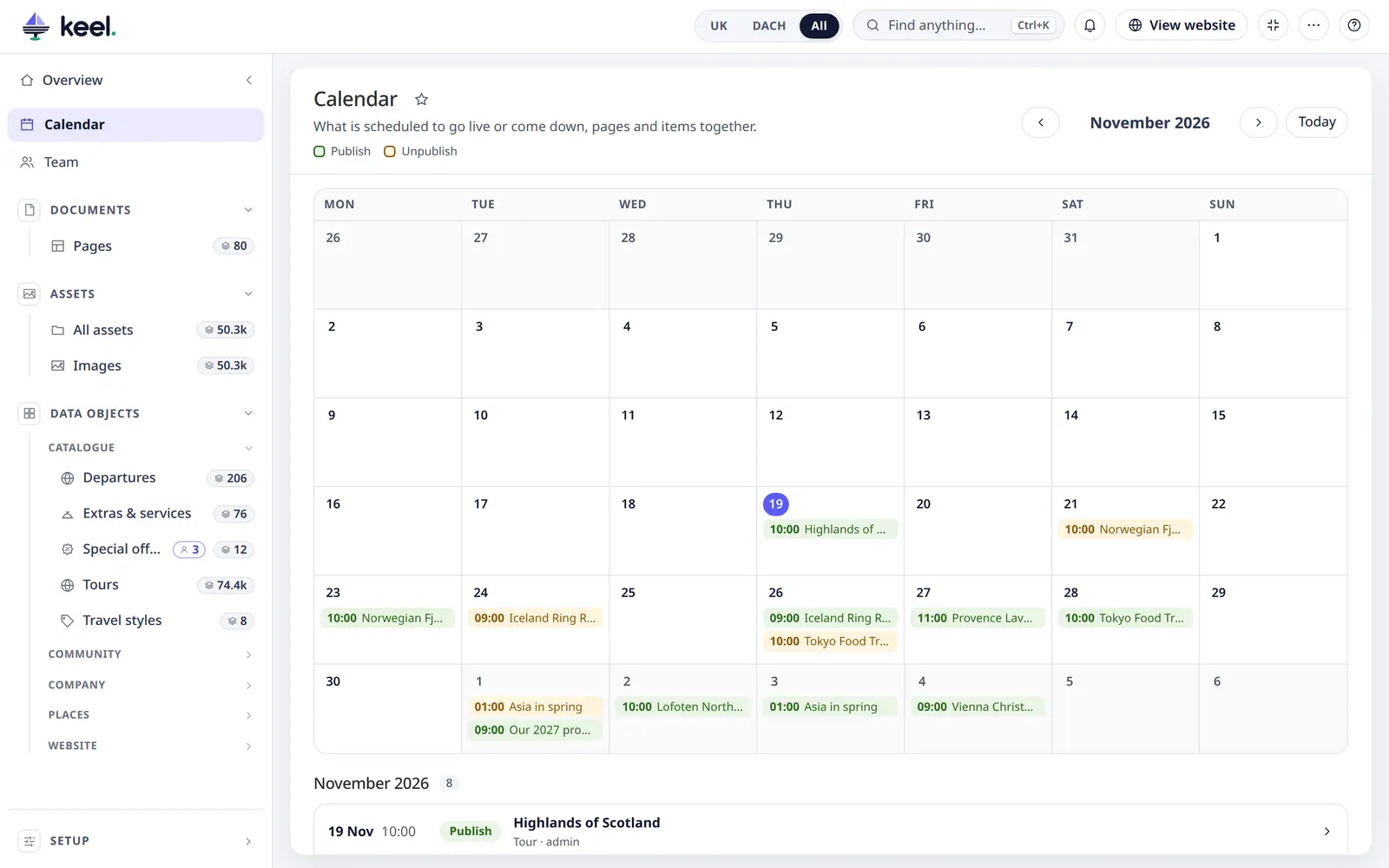
The entries are the same planned changes you make with Schedule… in an editor or in the bulk bar – see Scheduled publishing. The calendar is in Pimcore Studio.
Read the month
- Each day shows up to three entries; +1 more means there are more. A legend above the month says which colour is Publish and which Unpublish; point at an entry to read it in full.
- ‹ and › change the month; Today goes back to this month.
- Click a day to list only that day. Click it again, or Show the whole month, to list the whole month.
Each entry in the list has its time, Publish or Unpublish, the name, what kind it is (Page, Tour…) and who scheduled it.
An entry marked Due has passed its time but has not run yet. It runs with Pimcore's next maintenance. If entries stay Due, Pimcore's maintenance job may not be running on the server – tell your developer (Install → Pimcore's maintenance).
Change a planned change
Click an entry to open its item or page, and change or cancel the schedule there. In an item's editor, the button next to Published (or the workflow button) shows the planned change and opens it.
What you see
- Only what you may open is named. Other entries are counted: 2 more entries are for things you may not view.
- Items of classes that have no Keel list are left out.
- On a wide screen the list sits next to the month. The month follows your interface language (week start, day and month names, and dates written your language's way).