
Live preview
When an item has a page on the website, the editor shows Preview. It opens the real page next to the form – with your unsaved changes, so you see them before anyone else does.
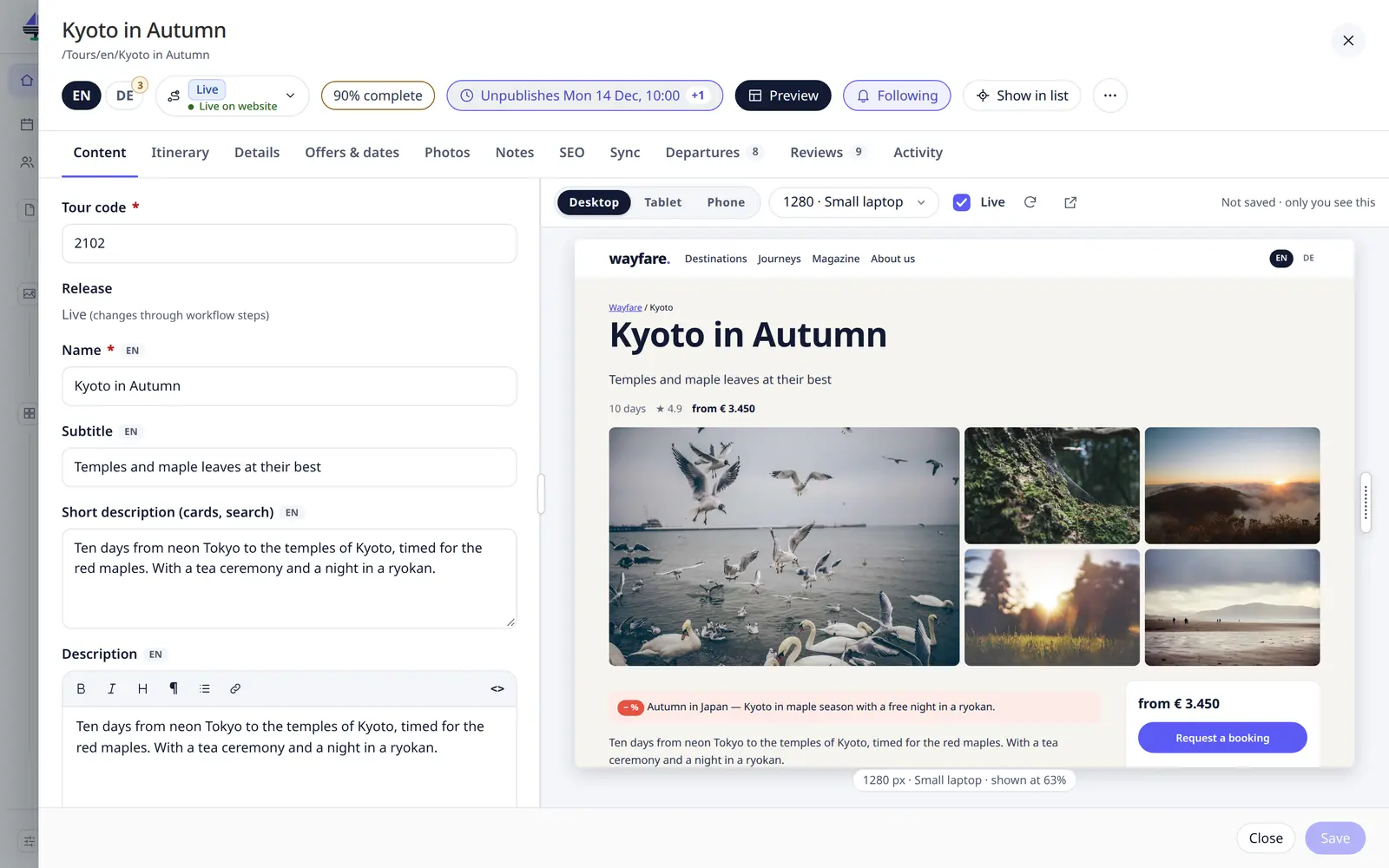
- The page follows your typing (Live) and refreshes a moment after each change.
- Desktop, Tablet and Phone switch the width; Device… offers popular phones, tablets and screens up to 4K.
- Drag the handle at the side of the page to any width; double-click it to fill the space.
- At phone and tablet widths the pointer becomes a finger: drag to scroll, click to tap.
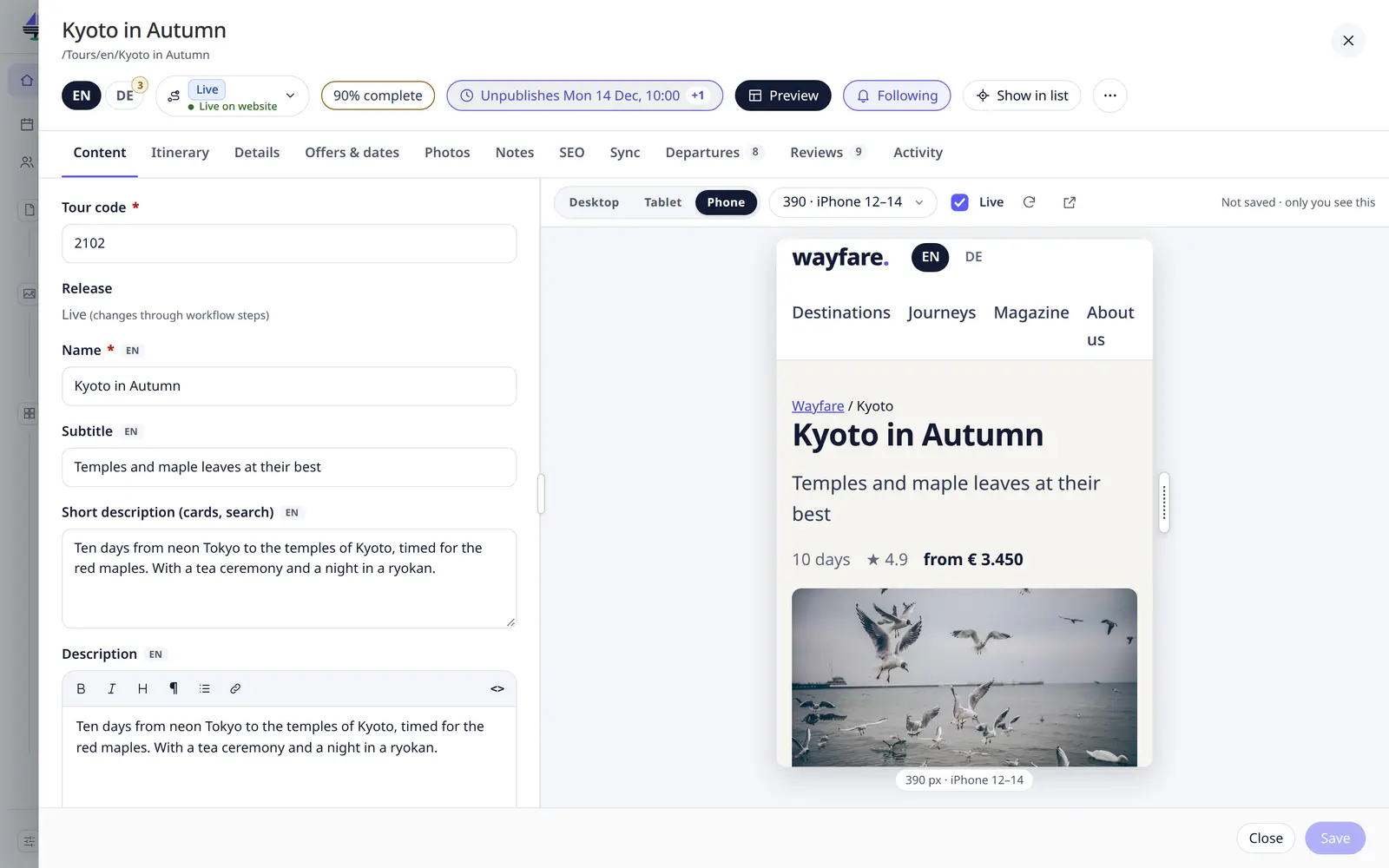
- Refresh preview reloads it; Open preview in a new tab opens it full size.
- Drag the bar between the form and the preview to give either more room.
The note Not saved · only you see this reminds you that the website itself has not changed.
Alt P turns the preview on and off.
Info
Whether an item has a page – and so whether Preview shows – is set up by the developer. See Page URLs & preview.