
Team overview
Team in the menu, under Calendar, shows who has what open work. Only administrators see it. It is in Pimcore Studio.
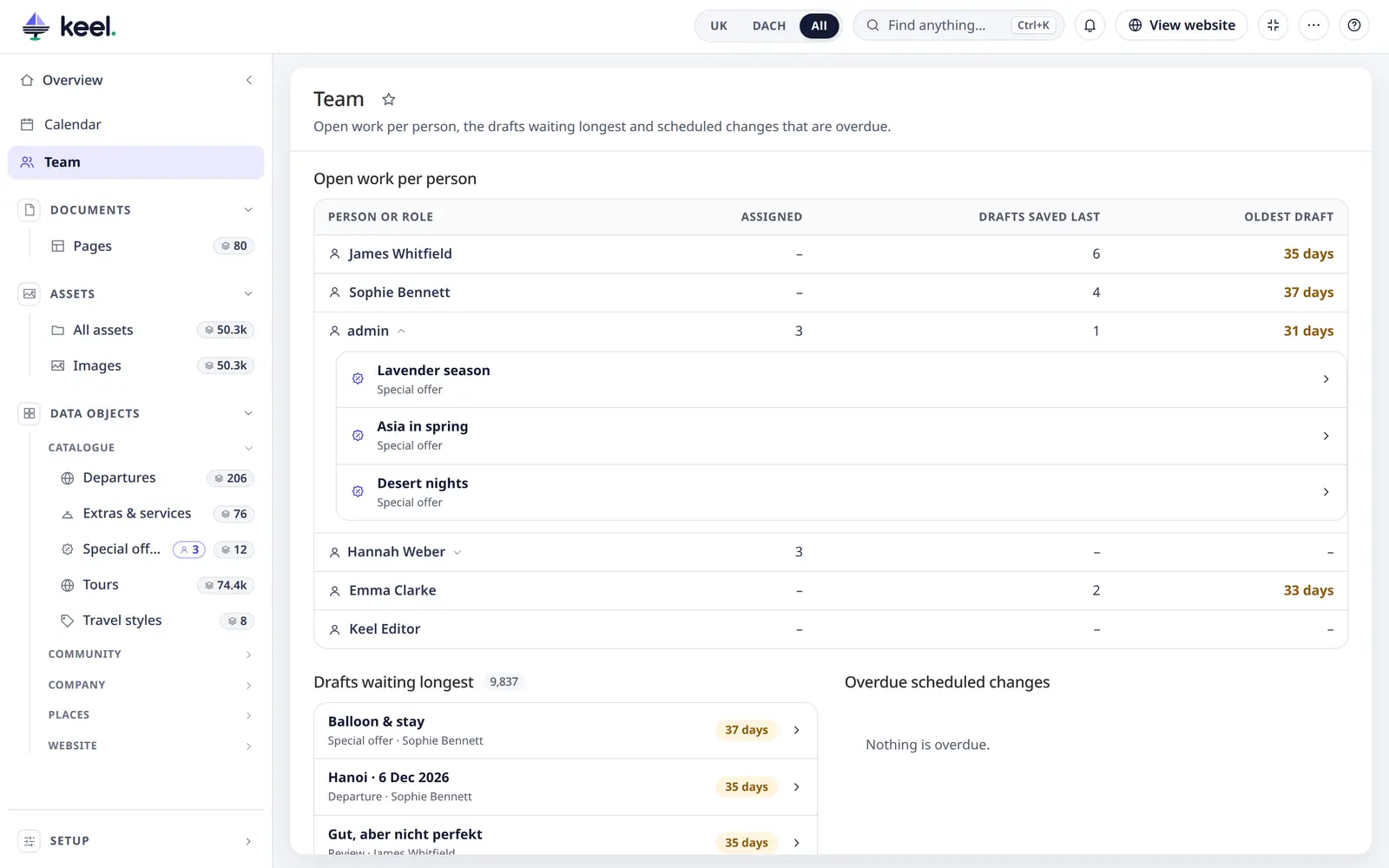
Open work per person
One row for every active user – also people with nothing open right now – and one row for each role that items are assigned to.
| Column | What it shows |
|---|---|
| Person or role | The name. A user who can no longer sign in is marked Inactive: their work needs someone else. |
| Assigned | How many items are assigned to them |
| Drafts saved last | Unpublished items they were the last to save |
| Oldest draft | How long the oldest of those drafts has waited. 30 days and more stand out. |
Click a person to see the items assigned to them, newest changes first (up to 50). Click an item to open it.
Drafts waiting longest
The 15 oldest unpublished items of all lists, with the total number of drafts. Click one to open it.
Overdue scheduled changes
Planned publishes and unpublishes that are more than an hour past their time. Normally there are none. If there are, Pimcore's maintenance job is probably not running on the server – see Install → Pimcore's maintenance. The Calendar shows all planned changes.