
Scripts & tracking
Setup → Settings → Scripts & tracking adds code to every page of the website: a tag manager, analytics, chat widgets, verification meta tags. Only admins see and change it.
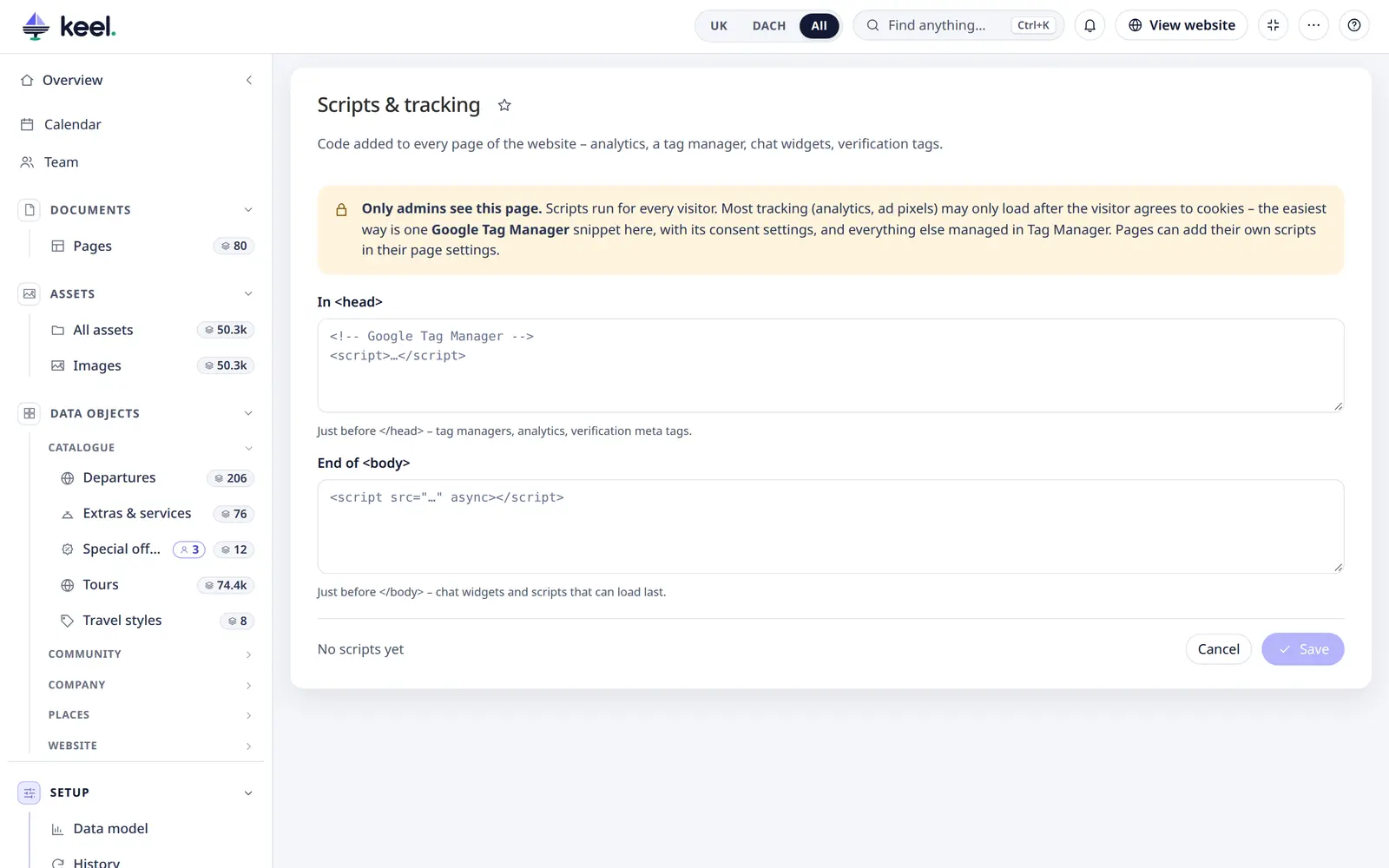
| Box | Where Keel puts it |
|---|---|
In <head> | Just before </head> – tag managers, analytics, verification tags |
End of <body> | Just before </body> – chat widgets and scripts that can load last |
Projects with several Pimcore sites get one pair of boxes per site; Main site covers the pages outside them.
Changes are live right away – no deploy and no template change: Keel adds the code to the website's HTML pages. It
never adds it to Pimcore's edit mode, the admin or Studio. Keel warns about a <script> tag that is not closed.
Cookie consent
Scripts run for every visitor. Most tracking (analytics, ad pixels) may only load after the visitor agrees to cookies. The simplest setup: one Google Tag Manager snippet here, with its consent settings, and every other tag managed in Tag Manager.
Scripts for one page
A page can add its own scripts – for example a conversion pixel on a thank-you page. In the page's settings, admins see Page scripts with the same two boxes; they come after the site-wide ones. Other editors see only a note that the page has its own scripts, and cannot change them – Keel checks this on the server too. Changes appear in the page's History like every other setting.