
What is Keel?
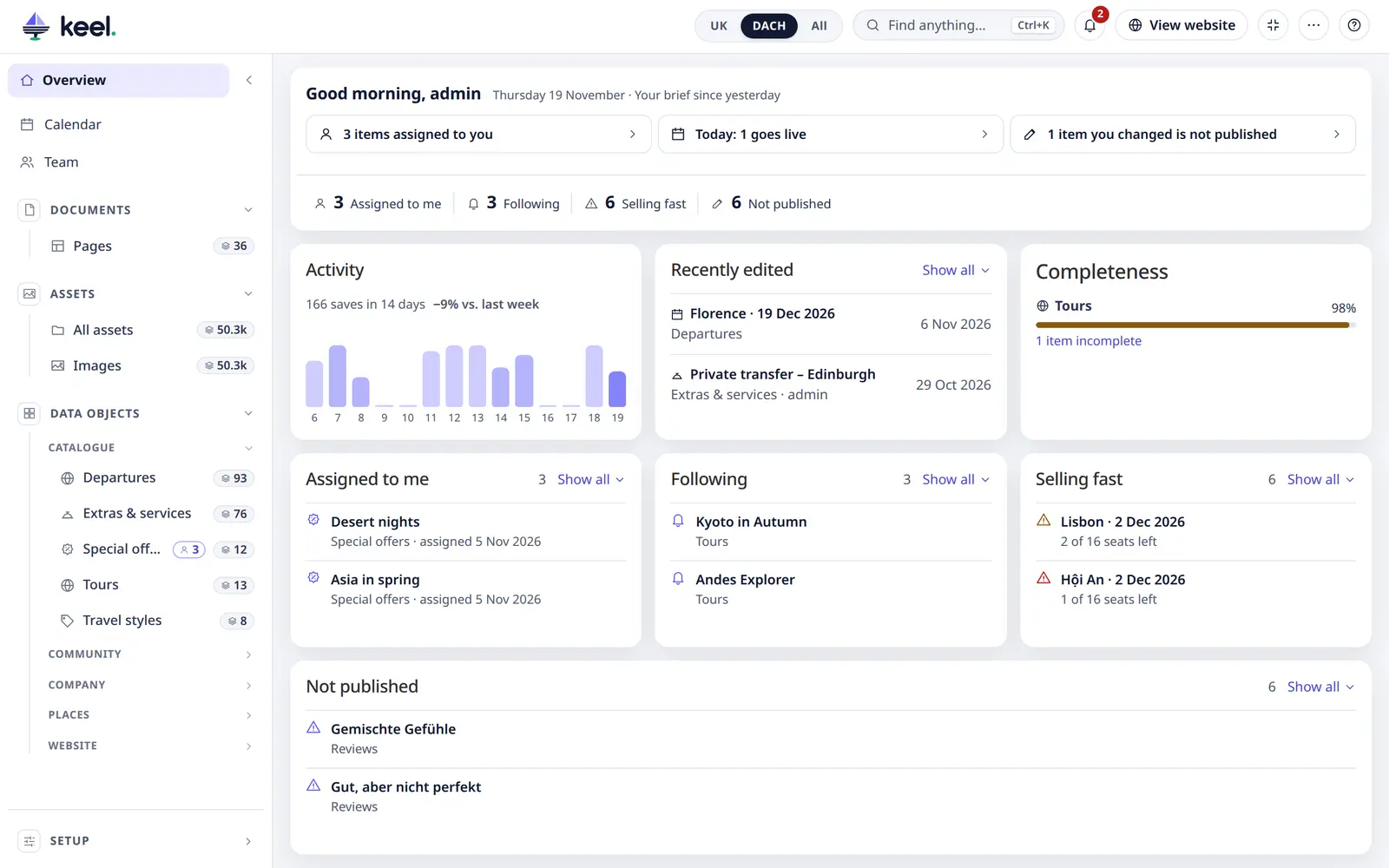
Keel is a bundle for Pimcore that adds a modern editing app to the admin. It opens as the first tab – in the Pimcore 11 classic admin and in Pimcore Studio (2026+) – and gives editors one place for their daily work:
- Data objects – a list per class with search, filters and saved views, paging and bulk changes that run on the server, and a side-panel editor with every field, history and a live preview of the page on the website.
- Product data – variants and inherited values, object bricks and the classification store, a completeness score and changes imported from Excel or CSV.
- Assets – an image library with views, paging, metadata per language, focal point, usage rights, replace and downloads.
- Pages – page settings and SEO checks, and a visual content editor that edits the real page.
- Overview – the start page with your own numbers, recent changes and cards such as Not published.
- Working together – notifications for assignments, mentions and items you follow, a content calendar of everything scheduled, and a team overview for admins.
Works without code
Keel reads what the project already has – class definitions, layouts, permissions and versions – so it needs no per-project code:
| Comes from | Used for |
|---|---|
| Class title, icon, group | List name, icon and menu group |
| Fields marked Visible in Grid View | Table columns |
| The first name/title/code-like text field | The label of rows and items |
| Class layout (panels, tabs) | Editor tabs and fields |
| Objects under objects of the same class | Tree table (expand / collapse, "Add sub-item") |
urls config, link generator or ObjectUrlProviderInterface | "View on website", live preview |
| Many-to-one relations pointing to a class | Related lists in its editor |
| Pimcore versions | History: before/after per field, restore a value, undo a save |
| User permissions and workspaces | What a user may see, add, save, publish and delete |
Admins then fine-tune lists, columns, statuses, start-page cards, colours and the interface language in Customize, decide per role which fields and languages a user may see and change in Field access, and set completeness rules. Pimcore workflows show as workflow steps.
Who this documentation is for
- Editors – everyday work: lists, editing, assets, pages, shortcuts.
- Admins – Customize, field access, completeness rules, the data model page, permissions.
- Setup – installation,
keel:setup, everykeel.yamloption, examples and troubleshooting. - Developers – page URLs, extending, commands and tests.